TDS on Salary and Form 16 Explained: How to Read Your Tax Certificate and File Your ITR Correctly (AY 2026-27)
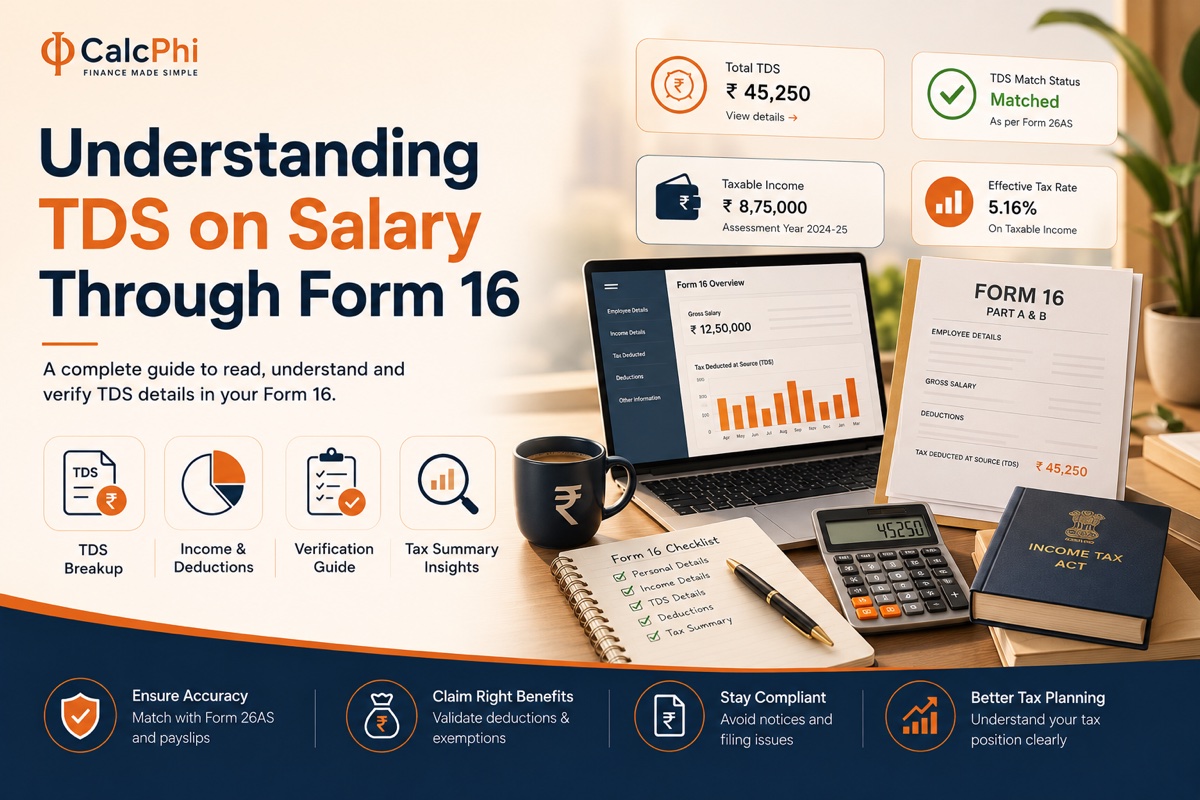
Every March, salaried employees across India start receiving a document from their employer called Form 16. Most people file it away with their other tax papers, hand it over to a CA, and never really understand what it says. That's a problem — because Form 16 is not just a formality. It is the master document that determines how much tax you owe, how much has already been paid on your behalf, and whether you will get a refund or a demand notice after filing your Income Tax Return (ITR).
This guide breaks down TDS on salary and Form 16 in plain language, so you can read your tax certificate with confidence and file your ITR correctly for Assessment Year 2026-27.
What Is TDS on Salary and Why Does It Exist?
TDS stands for Tax Deducted at Source. It is a system introduced by the Income Tax Department where the person paying you — your employer, in the case of salary — deducts a portion of your income as tax before crediting the rest to your bank account. This deducted amount is then deposited directly with the government on your behalf.
The idea is simple: instead of waiting for you to pay your full tax liability at the end of the year, the government collects it in small instalments throughout the year. For salaried employees, TDS is typically deducted every month as part of the payroll process.
Your employer calculates your estimated annual income at the beginning of the financial year, factors in declared deductions such as HRA, 80C investments, and home loan interest, and arrives at an estimated tax liability. That total is then divided across the remaining months of the financial year, and the resulting amount is deducted from your monthly salary as TDS. If your income or deductions change mid-year — say you switch jobs, get a bonus, or make a new tax-saving investment — your employer adjusts the TDS deduction accordingly.
Want to estimate your monthly TDS deduction before your employer calculates it? Use CalcPhi's free TDS on Salary Calculator to get an instant breakdown of your monthly in-hand salary and tax deduction — no sign-up required.
What Is Form 16?
Form 16 is a TDS certificate issued by your employer under Section 203 of the Income Tax Act, 1961. It is a formal, legally valid document that certifies how much salary was paid to you during the financial year and how much tax was deducted and deposited with the government on your behalf.
Every employer is legally required to issue Form 16 to all salaried employees whose income is taxable. The deadline for issuing Form 16 is 15 June of the assessment year — so for FY 2025-26, your employer must give you Form 16 by 15 June 2026.
Form 16 has two parts: Part A and Part B. Understanding the difference is the first step to reading your tax certificate correctly.
Form 16 Part A: The Government-Verified TDS Summary
Part A of Form 16 is generated directly from the TRACES portal (TDS Reconciliation Analysis and Correction Enabling System), which is maintained by the Income Tax Department. This makes Part A the authoritative, government-authenticated record of all TDS transactions.
Part A contains your employer's name, address, and TAN (Tax Deduction and Collection Account Number), your PAN and name, the financial year and assessment year, and a quarter-by-quarter summary of TDS deducted and deposited. Each quarter shows the amount of salary paid, the TDS deducted, and the challan details through which the tax was deposited.
Part A is critical for cross-verification. When you log into the Income Tax e-filing portal and check your Form 26AS or Annual Information Statement (AIS), the TDS figures in Part A should match exactly. If they do not match, there may be a discrepancy — perhaps your employer has deposited TDS late or under a wrong PAN — and this needs to be resolved before you file your ITR.
Form 16 Part B: The Detailed Salary Breakdown
Part B is prepared by your employer and provides a detailed picture of your compensation and the deductions claimed against it. This is the section you need to study carefully before filing your ITR.
Part B typically contains your gross salary — broken down into basic pay, HRA, special allowances, LTA, and any other components. It then shows any exemptions claimed, such as HRA exemption under Section 10(13A) or leave travel allowance under Section 10(5). After subtracting these exemptions, you arrive at your net taxable salary.
Next, Part B shows the deductions you have claimed under Chapter VI-A — this includes 80C (PPF, ELSS, life insurance premiums, home loan principal), 80D (health insurance premiums), 80CCD(1B) (additional NPS contribution), and any other applicable deductions. After all deductions are applied, you see your total taxable income and the tax computed on it — along with any rebate under Section 87A, education cess at 4%, and the total TDS deducted.
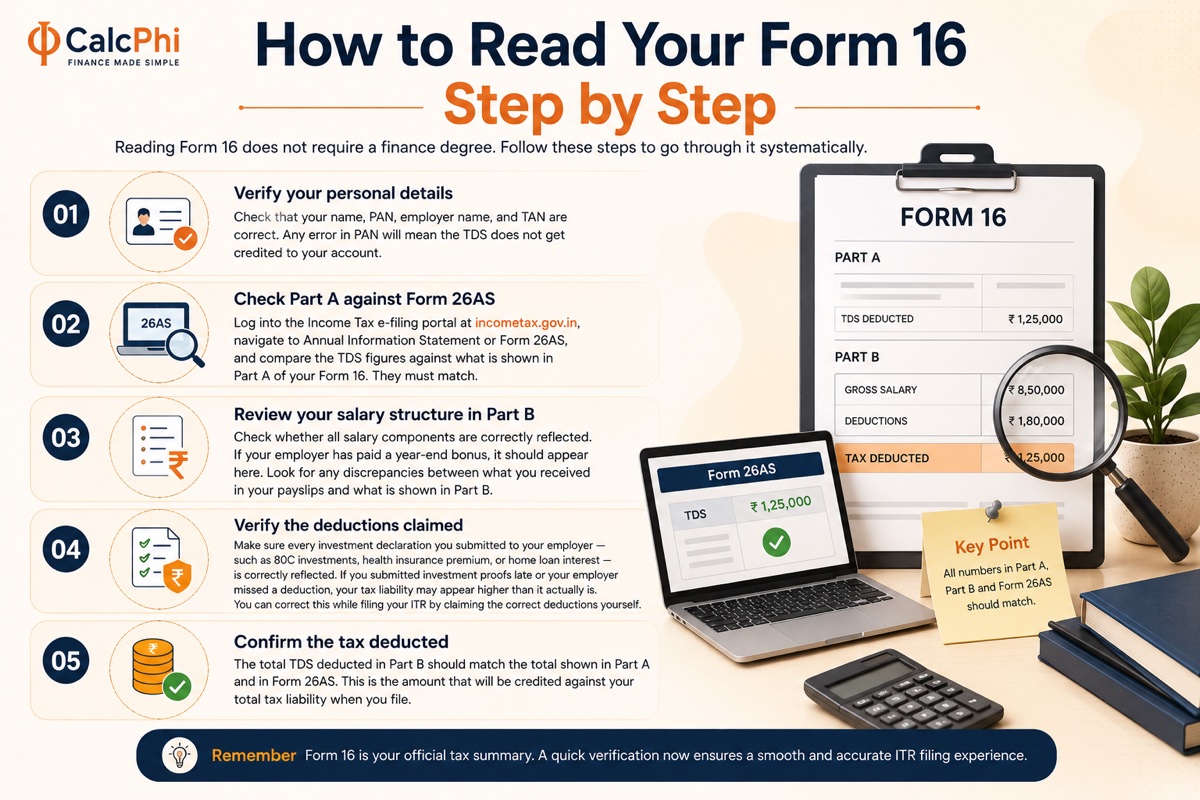
How to Read Your Form 16 Step by Step
Reading Form 16 does not require a finance degree. Follow these steps to go through it systematically.
Step 1 — Verify your personal details. Check that your name, PAN, employer name, and TAN are correct. Any error in PAN will mean the TDS does not get credited to your account.
Step 2 — Check Part A against Form 26AS. Log into the Income Tax e-filing portal at incometax.gov.in, navigate to Annual Information Statement or Form 26AS, and compare the TDS figures against what is shown in Part A of your Form 16. They must match.
Step 3 — Review your salary structure in Part B. Check whether all salary components are correctly reflected. If your employer has paid a year-end bonus, it should appear here. Look for any discrepancies between what you received in your payslips and what is shown in Part B.
Step 4 — Verify the deductions claimed. Make sure every investment declaration you submitted to your employer — such as 80C investments, health insurance premium, or home loan interest — is correctly reflected. If you submitted investment proofs late or your employer missed a deduction, your tax liability may appear higher than it actually is. You can correct this while filing your ITR by claiming the correct deductions yourself.
Step 5 — Confirm the tax deducted. The total TDS deducted in Part B should match the total shown in Part A and in Form 26AS. This is the amount that will be credited against your total tax liability when you file.
Choosing Between the Old and New Tax Regime
Before you file your ITR, you need to decide which tax regime to use — the old regime with deductions or the new default regime with lower slab rates but no most deductions.
Your Form 16 is prepared based on whichever regime you declared to your employer at the start of the year. However, if you wish to switch regimes while filing your ITR, you are allowed to do so — as long as you do not have business income. This means even if your TDS was calculated under the new regime, you can file your ITR under the old regime and claim all applicable deductions, and vice versa.
To understand which regime works out better for your specific income and deduction profile, use CalcPhi's New vs Old Tax Regime Calculator — it compares your tax liability under both regimes instantly, so you can make an informed choice before filing.
How to Use Form 16 to File Your ITR
Most salaried employees with a single employer and no other income source can file ITR-1 (Sahaj). Here is how Form 16 maps to your ITR:
Your gross salary from Part B flows into the "Income from Salary" section of the ITR. Exemptions like HRA are deducted here. Deductions under Chapter VI-A from Part B flow into Schedule VI-A of the ITR. The TDS amount from Part A flows into the TDS schedule, which reduces your final tax payable.
If you had more than one employer during the year, you will have two Form 16s — one from each employer. Both need to be combined when filing. Add up the salaries from both, and make sure you are not claiming the same deduction twice. Your total TDS will be the sum of TDS from both employers.
If you worked for a second employer without informing them of your previous income, they may have deducted too little TDS — meaning you could have a tax liability when filing. To avoid surprise tax demands, always disclose your income from previous employers to your current one.
Worried about your total tax liability? CalcPhi's Income Tax Calculator for FY 2026-27 lets you enter your full income, deductions, and regime preference to calculate your exact tax due — and see whether you owe more or are due a refund.
Common Mistakes to Avoid When Filing Using Form 16
The most frequent error is not verifying Part A against Form 26AS. If your employer deposited TDS under your PAN incorrectly or late, it may not show up in your account — and you will end up paying tax that you already effectively paid through your employer.
Another common mistake is forgetting to claim deductions that the employer did not account for. If you purchased health insurance in February but your employer had already finalised your deductions in January, the 80D deduction will not appear in Form 16 — but you can and should claim it while filing your ITR.
Also watch out for income not reflected in Form 16 — such as interest on savings accounts, fixed deposit interest (TDS on FDs is separate from salary TDS), capital gains from mutual fund redemptions, or rental income. All of this needs to be reported in your ITR even if it is not in Form 16.
For FD interest specifically, TDS is deducted at 10% (or 20% if PAN is not registered) once interest crosses ₹40,000 in a year (₹50,000 for senior citizens). You can track this using CalcPhi's TDS on FD Calculator.
What If Your Employer Has Not Given You Form 16?
If your employer has not issued Form 16 by 15 June, they are liable to pay a penalty of ₹100 per day under Section 272A(2)(g) of the Income Tax Act. You should first follow up formally in writing.
If you still cannot get Form 16, you are not helpless. You can still file your ITR using your payslips to reconstruct the income details and Form 26AS or AIS to verify TDS. The ITR filing deadline is 31 July 2026 for most individuals, so do not delay in the hope that Form 16 will arrive.
Frequently Asked Questions
Is Form 16 mandatory for filing an ITR?
Form 16 is not legally mandatory to file your ITR, but it is the most accurate and convenient source of all salary and TDS data. If you do not have Form 16, you can use your payslips, salary account statements, and Form 26AS to reconstruct the necessary details. However, always try to obtain Form 16 from your employer first.
What should I do if the TDS in Form 16 does not match Form 26AS?
This is a serious discrepancy. It usually means your employer deposited TDS under an incorrect PAN or there has been a delay in depositing the amount. Contact your employer's payroll or accounts team immediately and ask them to file a correction with the Income Tax Department. You should not file your ITR until this is resolved, as a mismatch can trigger a scrutiny notice.
Can I claim deductions in my ITR that are not shown in Form 16?
Yes, absolutely. Form 16 only reflects what you declared to your employer. If you made investments or incurred eligible expenses that your employer did not account for — such as health insurance premium paid in the last few months, NPS contributions under 80CCD(1B), or home loan interest — you can claim these directly while filing your ITR. The income tax portal will compute your revised tax liability accordingly.
What is the due date for filing ITR using Form 16 for AY 2026-27?
For salaried individuals without audit requirements, the ITR filing deadline for AY 2026-27 (covering income earned in FY 2025-26) is 31 July 2026. Filing after this date without a valid reason attracts a late filing fee of up to ₹5,000 under Section 234F, and you lose the ability to carry forward certain losses.
What is the difference between TDS and advance tax for salaried employees?
TDS is deducted by your employer on your salary income and deposited with the government on your behalf — you do not need to do anything for this. Advance tax, on the other hand, is a self-payment mechanism for income that is not subject to TDS, such as capital gains, rental income, or freelance income. If your total tax liability from non-salary income exceeds ₹10,000 in a year, you are required to pay advance tax in quarterly instalments. Use CalcPhi's Advance Tax Calculator to check your quarterly obligations.
Can I switch from the new tax regime to the old regime while filing, even if my employer deducted TDS under the new regime?
Yes. Salaried individuals without business income can choose their preferred regime at the time of filing, regardless of which regime was used for TDS deduction. If switching to the old regime results in a lower tax liability — because your deductions under 80C, 80D, HRA, and so on outweigh the benefit of the new regime's lower slabs — you will be entitled to a refund of the excess TDS deducted.
Disclaimer: All calculators and content on CalcPhi are intended for educational and estimation purposes only. The figures, tax slabs, and examples used in this article are based on publicly available information for AY 2026-27. Nothing in this article constitutes personalised financial or tax advice. Please consult a qualified Chartered Accountant or tax advisor for advice specific to your situation.